Android · Android TV · Fire TV
AromaOtt Player for Android, Android TV and Fire TV
AromaOtt Player is a free, private video player for AromaOtt members on Android phones and tablets, Android TV, Google TV and Fire TV. It has no channels, movies or series of its own: it plays the playlist set up on your account by the operator, or an M3U or Xtream playlist you add.
For AromaOtt members only: access is activated by the operator.
Members get their access from the Aroma OTT store.Visit aromaiptv4k.com
Version 2.2.9 · 14 MB · November 1, 2026
The app is not in Google Play or the Amazon Appstore: you install it from this page.
Why use AromaOtt Player?
Native player
Video plays through Android's own player with hardware decoding: smoother playback on TV sticks, and 4K or surround sound when your device and the stream support it.
Made for the remote
Big, clear screens on TV and simple arrow-key navigation. Back, play/pause and channel buttons work as you expect.
Sign in with a code
No password typing with the remote: the TV shows a code, you approve it on your phone.
Pick up where you left off
Movies and episodes resume where you stopped, and every series shows what you have already watched.
9 languages
English, Arabic, French, Spanish, German, Italian, Portuguese, Turkish and Dutch, chosen automatically and easy to change.
Always up to date
The app updates itself from aromaott.com. Every update is checked before it is installed.
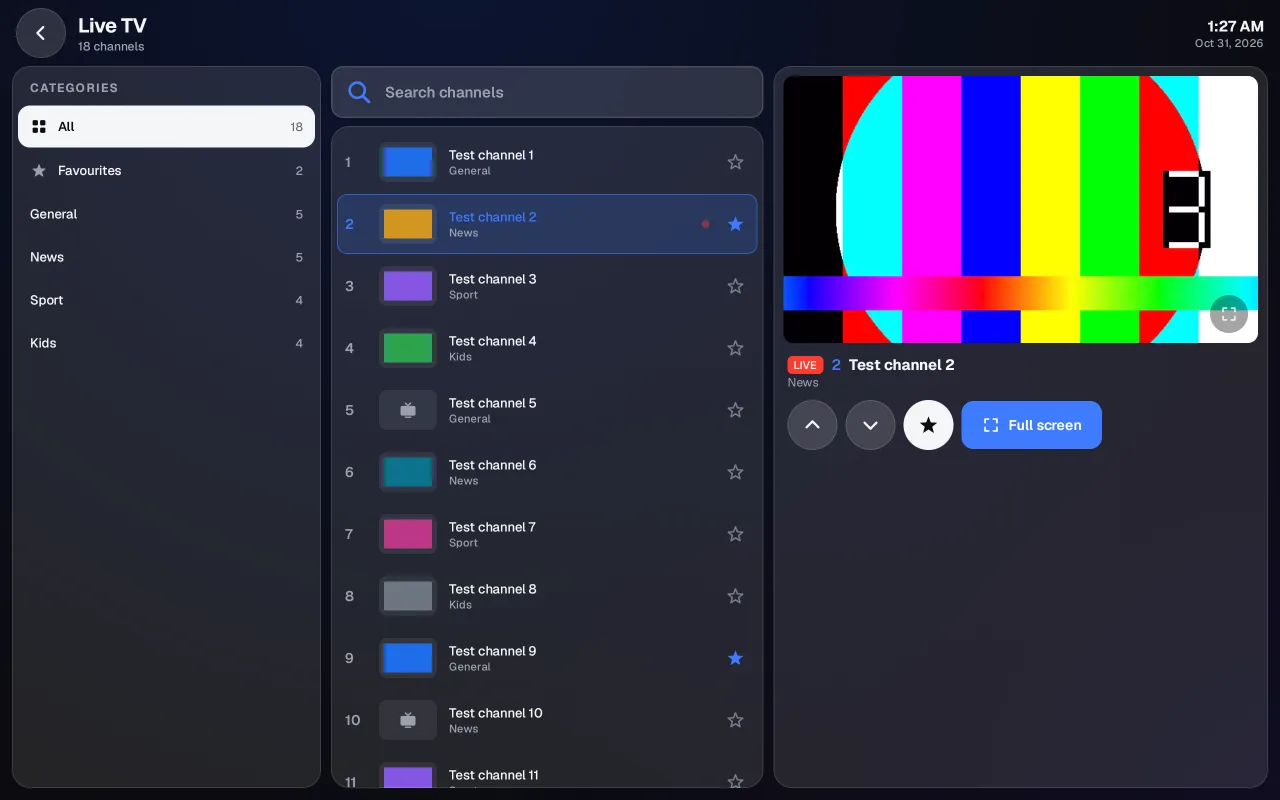
The same player on every screen
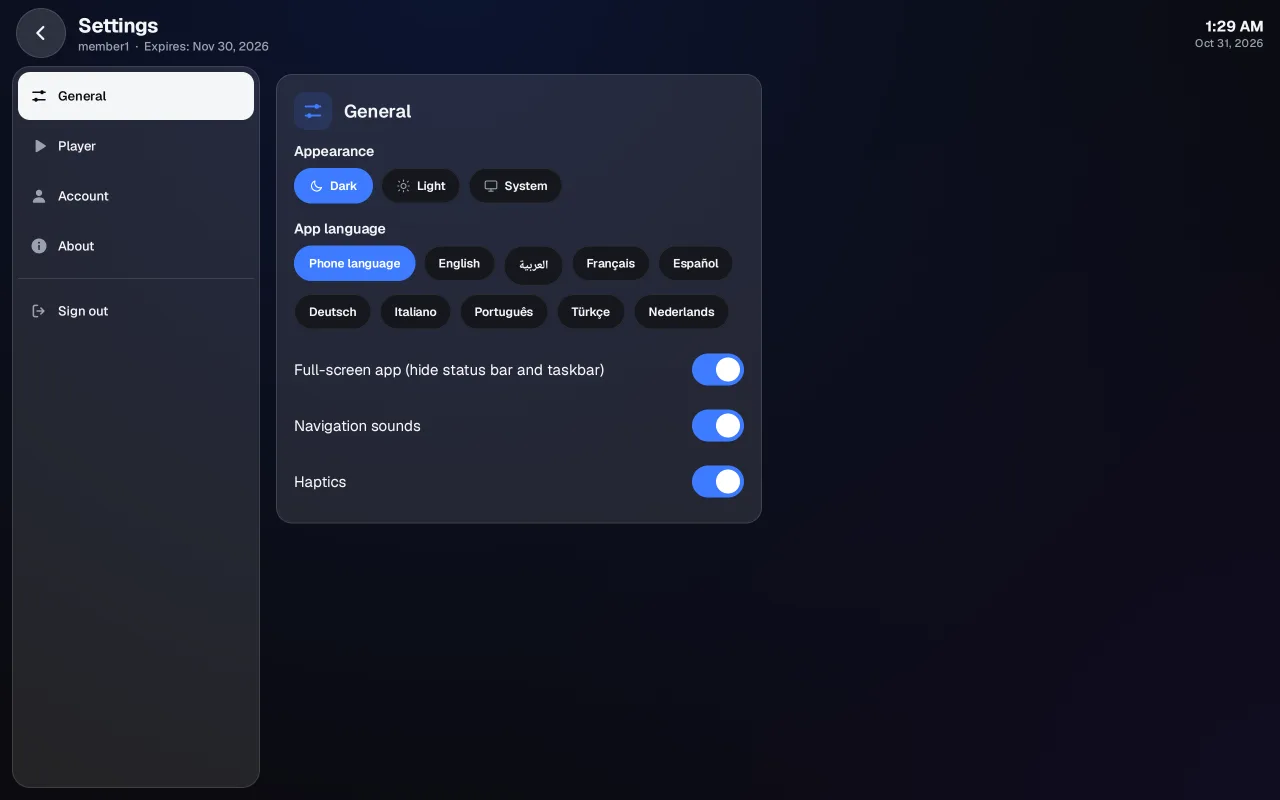
Screenshots of the Android app, taken with a test playlist.
Which devices does AromaOtt Player work on?
- Android phones and tablets (Android 7.1 or newer)
- Android TV and Google TV
- Amazon Fire TV Stick (2nd generation or newer)
How do I install AromaOtt Player?
- Tap “Download for Android” on your phone, or scan the QR code with the phone's camera.
- Open the downloaded file. If Android asks, allow your browser to install apps (“Install unknown apps” → your browser → Allow), then go back.
- Tap Install, then Open, and sign in with your AromaOtt account.
- On your Fire TV go to Settings → My Fire TV. If you don't see Developer options there, open About and press OK 7 times on your device name until it says you are a developer.
- Install the free “Downloader” app (by AFTVnews) from the Amazon Appstore: search for Downloader on the home screen.
- Go to Settings → My Fire TV → Developer options → Install unknown apps and turn it on for Downloader (on older models: Apps from Unknown Sources → On).
- Open Downloader, type the code 2135974 and select Go.
- Select Install, then Open, and sign in with a code from your phone. Downloader then offers to delete the downloaded file: you can, the app stays installed.
- Install the free “Downloader” app (by AFTVnews) from Google Play on your TV.
- Allow Downloader to install apps: Settings → Apps → Security & restrictions → Unknown sources → Downloader (menu names vary a little by brand).
- Open Downloader, type the code 2135974 and select Go.
- Select Install, then Open, and sign in with a code from your phone. Downloader then offers to delete the downloaded file: you can, the app stays installed.
What do I need to use AromaOtt Player?
- An AromaOtt member account, activated by the operator. The app has no sign-up of its own and contains no channels or content: it plays the playlist your provider set up on your account, or an M3U or Xtream playlist you add yourself.
- Android 7.1 or newer, an Android TV / Google TV device, or a Fire TV Stick (2nd generation or newer).
- On a TV you sign in with a code approved on your phone: no password typing with the remote.
How does AromaOtt Player update?
The app checks aromaott.com for a new version every time it starts and offers to install it. Updates are downloaded only from aromaott.com and checked before they are installed.
What changed in each version?
2.2.9Current version APK
This version reports to your provider's panel how the app is used and how well playback works, so problems can be found and fixed: the device model, Android version, app version and language; how long the app is open each day and which sections are used (Live TV, Movies, Series, search, settings, playlists); and, while you watch, how often the picture stopped to buffer or had to reconnect. Nothing is sent while you are signed out, no advertising id is used and nothing about your other apps is read. Settings → About says this, with a link to the privacy page. AromaOtt Player contains no channels or titles of its own.
2.2.8 APK
Add a playlist even when our server cannot reach the provider. Many providers block servers, so a playlist check could fail although the line works on your TV or phone. The error now says what happened (for example "refused our server (HTTP 403)" or "no answer"), and you can choose "Save anyway: your device will load it". The playlist is saved without our check and your device checks it: the lists load right away on this device. If your provider refuses this device too, the app shows its answer (for example HTTP 403); the playlist stays saved, Try again only reloads it, and you can remove it from your playlists. Such playlists are marked "Not checked from our server" in your list. AromaOtt Player contains no channels or titles of its own.
2.2.7 APK
Full-screen playback options for TVs that stutter only in full screen. Some Android TVs play a channel well in the small preview but cut in full screen. Settings → Player now has "Match TV refresh rate" (off by default: the app no longer asks the TV to change its picture mode) and "Video output": Automatic, Surface or Texture. Texture draws full-screen video the way the preview does; try it if your TV cuts only in full screen. These options help on some TVs; we cannot promise they fix every TV. If the app sees cuts only in full screen, it suggests the setting once. Diagnostics now lists the Android version, device model, display modes, video output and where the cuts happened (full screen or preview). AromaOtt Player contains no channels or titles of its own.
2.2.6 APK
Opens at once on very large playlists. The home now shows your Live TV, Movies and Series counts straight away, even with tens of thousands of channels and titles, and lists load as you open them: a category opens on its own, while All and search read the whole list once, with a progress bar (“Opening 56,000 channels…”). Phones, tablets and TV use much less memory, so large playlists no longer make the app close. If a list is too large for a device, its categories still open one by one. Diagnostics shows how long each list took to open and the memory in use. AromaOtt Player contains no channels or titles of its own.
2.2.5 APK
Live TV now adjusts its buffer by itself (Settings → Player → Buffer size: Automatic, the new default). Each channel starts quickly; when a channel stalls twice within a minute, the app keeps a bigger buffer for that channel on this device, without reconnecting, and returns to the quick start after 10 calm minutes. A bigger buffer means fewer interruptions on an unsteady connection and a few seconds more delay behind live; it cannot fix a provider or a line that does not deliver. The Small, Normal and Large choices are still there. While watching, a small Unstable or Poor sign appears with the controls when the connection struggles, and Diagnostics shows, for each channel, its stalls, the buffer in use and the measured bandwidth. When you sync or change your playlists on the website, the app reloads them when you come back to it and says “Playlists updated”. AromaOtt Player contains no channels or titles of its own.
2.2.4 APK
When the app opens, a loading screen now shows your channels, movies and series being loaded (with a soft chime when they are ready) instead of an empty home; when they are already on the device, the home appears at once with a small “Updating…” bar. A section of your playlist with nothing in it now says so. Live TV starts playing straight away: the last channel you watched in this playlist, otherwise the first channel of your last category. Categories and channels each have their own search: type a name in the category search to see every matching category with its number of channels, or search all channels at once and see each channel’s category under its name. Both lists scroll on their own with an A–Z strip, recently opened categories stay at the top, and Channel up / down or a swipe on the picture changes channel. Movies and Series categories can be searched too. AromaOtt Player contains no channels or titles of its own.
2.2.3 APK
Live channels on playlists that play on your device now use MPEG-TS by default (one connection to your provider), wait for a larger buffer and reconnect by themselves within seconds when the connection drops, instead of cutting out. A dot next to LIVE shows the connection quality, and “Buffering” or “Reconnecting” appears while the picture waits. New in Settings → Player: Live stream format (Automatic, MPEG-TS or HLS, per playlist) and Buffer size. Large movie and series libraries now load on the device, and lists are no longer refreshed while something plays. The AromaOtt artwork is back on the home screen (it was missing from the installed app since 2.2.0). Settings → About shows the version, edition, device and theme, plus a Diagnostics page. Signing out now frees the device for another one, and when your account is on too many devices you can sign one of them out and continue. AromaOtt Player contains no channels or titles of its own.
2.2.2 APK
Playlists whose provider refuses our server now play straight from your device: the app loads the lists and the streams itself. When a provider refuses a stream, the player says why in one sentence (refused, line already in use, or not answering) instead of reconnecting endlessly. New Reload button on the home screen, in the playlists and on TV; you can also pull down on the home screen to refresh. Tablets held upright now show a full-width channel list in the player. AromaOtt Player contains no channels or titles of its own.
2.2.1 APK
You can now keep several playlists (M3U link or Xtream login) and switch between them from the "Playlist" button on the home screen; rename, refresh or remove them there. A notice warns you a few days before a playlist or your access expires. New typefaces and a lighter, friendlier light theme. Includes everything from 2.2.0: new look on phone, tablet and TV, soft navigation sounds you can turn off. AromaOtt Player contains no channels or titles of its own.
2.2.0 APK
New look on phones, tablets and TV: home with Live TV, Movies and Series (only the sections your playlist has), Live TV with categories, channels and a preview, simple category lists in portrait, a new player bar and Settings. You can now add your own playlist (M3U link or Xtream login) from the home screen or Settings: check it, then load it. A notice tells you a few days before your playlist expires. Soft navigation sounds and haptics, which you can turn off in Settings. AromaOtt Player contains no channels or titles of its own.
2.1.0 APK
New way to sign in: enter the activation code you received from your provider (8 characters, with or without the dash). On TV, pick the characters with the remote. Username and password sign-in work as before.
2.0.8
AromaOtt now offers a curated catalogue of Creative Commons and public-domain films and channels. The Amazon and Google Play editions play only this catalogue, streamed from AromaOtt's own servers. Clearer wording while a channel is getting ready.
2.0.7 APK
Ready for Android 16. Leaving Live TV now stops the channel playing in the page (no more sound without picture).
2.0.6 APK
Live TV in two columns on tablets: categories on the left, channels on the right, each scrolling on its own, on the page and in full screen. The menu logo is now a full-size tile like the other icons. A big search box sits at the top of the channel column.
2.0.5 APK
Full-screen live TV: browse categories and channels without leaving full screen (also on Android TV and Fire TV with the remote). The menu logo now shows a small options badge and a first-time tip to move or hide the menu.
2.0.4 APK
Tablets: Account now fills the whole screen, and in landscape the channel details under the Live TV player are always fully readable. Fixed a crash when opening a category or searching movies and series. Phones turned sideways get a compact side menu and open channels full screen. Bigger buttons and many small layout fixes.
2.0.3 APK
Tablets now use the whole screen (status bar and taskbar hidden; swipe from an edge to show them, switch in Account). New menu with big icons: a floating bar at the top on tablets (or left, right, bottom) and at the bottom on phones.
2.0.2 APK
Live TV: the player stays in place while the channel list scrolls, a new channel details panel (status, quality, sound, up next), a resizable split. Menu bar you can widen, shrink, hide or move. Bigger player buttons, a speed slider, swipe up or down to leave full screen, and click sounds with vibration.
2.0.1 APK
New tablet layouts for Live TV (portrait and landscape), a new animated sign-in screen, and steadier reconnection when a channel is busy.
2.0.0 APK
The all-new AromaOtt app: fully native, faster and smoother on phones, tablets and TVs. New player with gestures, My List on all your devices, light and dark themes, sign in on your TV with a code. Please sign in again after the update.
1.0.3 APK
The app checks for updates every time it opens.
1.0.2 APK
True full screen on phones and tablets: the player hides the status bar and the navigation bar.
1.0.1 APK
New app icon and a new banner for Android TV and Fire TV.
1.0.0 APK
First version of the AromaOtt app for Android phones, tablets, Android TV and Fire TV, with built-in updates.
Questions and answers
What is AromaOtt Player?
AromaOtt Player is a private video player for AromaOtt members. It plays the playlist your provider set up on your account, or an M3U or Xtream playlist you add yourself, on Android phones and tablets, Android TV, Google TV, Fire TV and in a web browser.
Is AromaOtt Player free?
Yes. The player is free for AromaOtt members, with no in-app purchases. Access to the service you watch through it is a separate subscription that members get from their provider. aromaott.com itself takes no payments.
Does the app include channels, movies or series?
No. AromaOtt Player contains no channels, movies or series of its own. It only plays your playlist: the one your provider assigned to your member account, or an M3U link or Xtream login you add in Settings → Playlist. Only add playlists you are entitled to use.
Which devices does it work on?
Android phones and tablets with Android 7.1 or newer, Android TV and Google TV, and Fire TV Stick (2nd generation or newer). On iPhone, iPad, computers and Samsung or LG TVs, use the web player in the browser; TV browsers vary by model and some may not play every stream.
How do I get access?
Access is activated by the operator only: there is no public sign-up. Once your member account is active, you sign in with your username and password, or with the one-time activation code you received, for example ABCD-EFGH.
Can I use an M3U link or an Xtream login?
Yes, when your provider allows it. Open Settings → Playlist → Add playlist, paste an M3U link or enter the Xtream server, username and password, and select Check playlist. You can keep several playlists and switch between them from the home screen.
How do I sign in on a TV without typing a password?
The TV shows an 8-character code and a QR code. On your phone, scan it or open aromaott.com/activate, enter the code and choose Yes, sign in. The TV signs in by itself. The code is valid for 10 minutes and works once.
Is the app on Google Play or the Amazon Appstore?
No. AromaOtt Player is not in any app store: you install it from this page. On a Fire TV or Android TV, type aromaott.com/apk in the Downloader app. The app then updates itself from aromaott.com, and every update is checked before it is installed.
From the blog
All articlesAromaOtt Player on Sony, TCL, Hisense and Philips Android TVs
Allow unknown sources, install Downloader, type aromaott.com/apk, sign in with a phone code, then check frame-rate matching. Same steps on all sizes.
AromaOtt Player on WEIYUE and other Android sets sold in the Gulf
Many Android sets sold in Saudi Arabia and the Gulf have no Google Play. Install the APK via the browser or USB, then check Auto frame rate.
AromaOtt Player on Fire TV sticks, Cube and Fire TV Edition TVs
Fire TV sticks, the Cube and Fire TV Edition sets from Toshiba, Insignia or Xiaomi install the same way: Downloader, aromaott.com/apk, phone-code sign-in.
TV picture cuts in full screen but the preview plays fine
Usually the TV switches refresh rate or video layer in full screen. Turn off frame-rate matching, then from version 2.2.7 try Video output: Texture.
AromaOtt Player on X96, T95 and H96 Android boxes
Generic Android boxes can run AromaOtt Player if they have Android 7.1 or newer. What to expect for HEVC and 4K, and why Texture video output can help.